Meta description best practices come down to one idea: write a short pitch that makes the right person click. Everything else is detail.
That pitch matters more than most people think. On one SEO services page I worked on, I rewrote the description to match the target keyword and search intent. Impressions stayed roughly flat, but organic CTR and clicks improved gradually. The page showed up just as often, but more people clicked.
In this guide, I’ll share the meta description best practices and formula I use, along with before-and-after examples and the mistakes I see most often. You’ll also get a ten-minute plan to improve your own descriptions today.
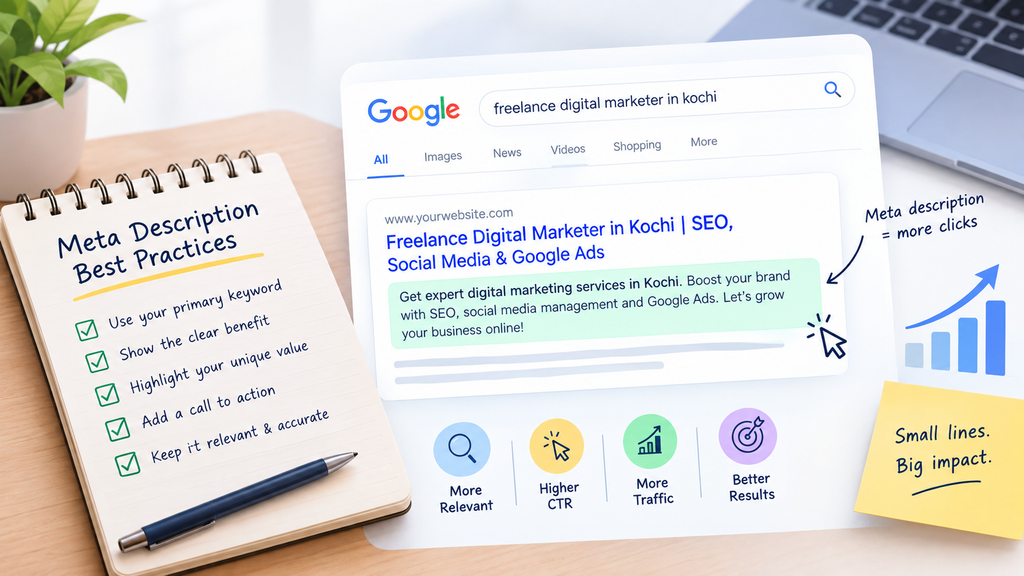
What a Meta Description Does (and Doesn’t Do)
A meta description is an HTML tag that summarizes a page. It lives in the page’s <head>:
html
<meta name=”description” content=”Grow your business with SEO, Google Ads & social media marketing.”>
Google compares a good description to a short pitch that convinces searchers the page is what they need. google
Two points are worth keeping straight:
- It can lift clicks. Accurate descriptions can improve click-through. google
- It doesn’t affect rankings. Google has said so since 2007.
In short, descriptions won’t help you rank. meta description best practices They help you win the click once you do.
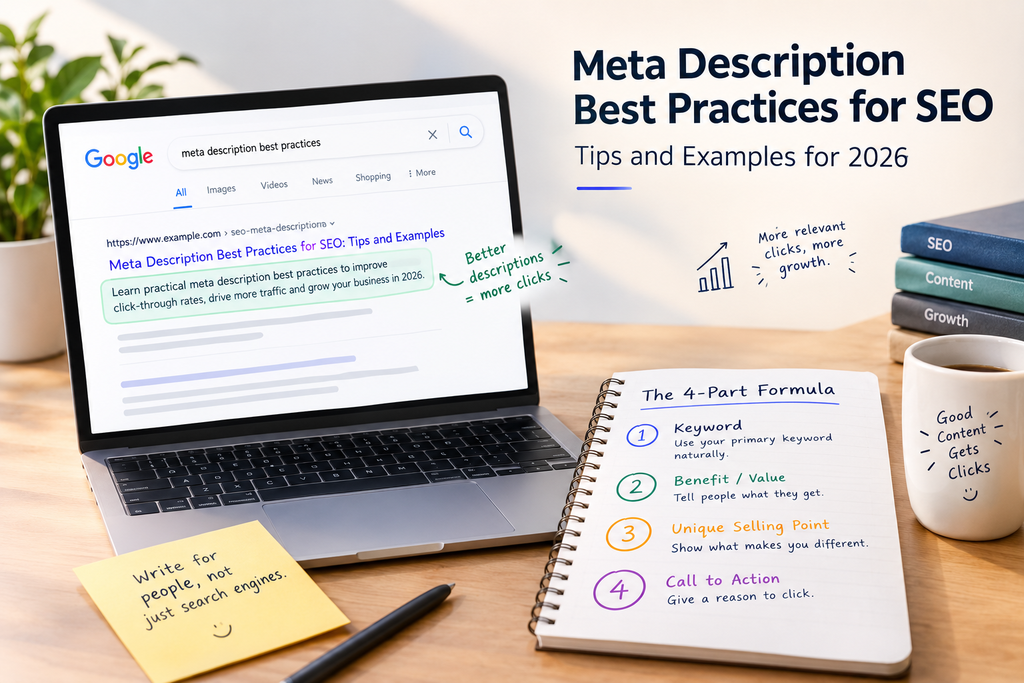
Meta Description Best Practices: My Four-Part Formula
I use the same four parts as my meta description best practices for almost every page:
- Primary keyword. Include it naturally. It shows the searcher your page is relevant.
- Clear benefit or value. Tell people what they get from visiting the page.
- Unique selling point. Explain what makes your page different.
- Compelling call to action. Give people a reason to click, such as “Get a free audit” or “See examples.”
Before I write, I check search intent. Is the searcher trying to learn, compare, or buy? Following these meta description best practices helps ensure the description matches the searcher’s intent. A description that answers the wrong intent gets skipped, even if it’s well written.
After drafting, I review the length and confirm the description accurately represents the page. A misleading description might win a click, but it can lose the visitor’s trust.
Meta Description Examples: Before and After
Here’s a rewrite that shows the formula at work:
| Description | What it does | |
| Before | We provide digital marketing services to help businesses grow online. | Vague. It could describe any agency. |
| After | Grow your business with SEO, Google Ads & social media marketing. Get proven strategies to increase traffic, leads, and online visibility. | Names the services, states the outcomes, and tells readers what to do. |
Here’s another description that worked, from that SEO services page:
Learn practical SEO strategies to improve rankings, drive organic traffic, and grow your business with proven techniques.
It matched what searchers wanted, used the keyword naturally, and made the benefit clear. After the update, organic CTR and clicks grew gradually while impressions held steady. Note that this is one page, and the gains built up over time rather than overnight.
One caution: use words like “proven” only when the page backs them up with case studies or results. Otherwise, your description makes a promise the page can’t keep.
How Long Should a Meta Description Be?
You’ll see “150–160 characters” everywhere. Here’s the nuance. Google says there’s no length limit, but it trims the snippet to fit the device width. So shorter descriptions are safer on mobile, and extra length isn’t guaranteed to show. google
My rule: treat 150–160 characters as a guide, not a hard rule. Put the keyword and the main benefit first. If the ending gets trimmed, you lose little.
What to Do When Google Rewrites Your DescriptionGoogle doesn’t always show the meta description you write. It may use your description when it accurately summarizes the page, but sometimes Google selects text from the page that better matches the search query.
That’s why following meta description best practices still matters. Write a clear, relevant description for every important page and make sure the page content supports the same message. Here’s how:
Write descriptions that encourage users to understand why the page is relevant to their search.
Include your core keyword naturally in the meta description.
Clearly communicate the page’s main benefit or purpose.
Keep the meta description relevant to the actual page content.
Make the H1 and opening paragraph support the same topic and message.
Common Meta Description Mistakes
The mistake I see most is a generic description that ignores search intent and hides the page’s value. Following meta description best practices, the four-part formula helps fix it.
Google’s own guidance lists several more. It warns against keyword lists, one description reused across many articles, text that doesn’t summarize the page, and descriptions that are too short. Search Engine Land has a good breakdown with examples.
Also avoid promising something the page doesn’t deliver. It raises bounce rates and erodes trust, making meta description best practices essential for creating accurate and compelling search snippets.
Improve Your Meta Descriptions in Ten Minutes
If you’re short on time, start here:
- Open Google Search Console and go to the Performance report.
- Find important pages with good impressions but low CTR.
- Check the search intent behind each page’s main query.
- Rewrite the description with the four-part formula.
- Confirm the new text matches what’s on the page.
- Wait a few weeks, then compare CTR and clicks.
Be patient at step 6. In my experience, the gains build gradually.
Meta Description Best Practices: FAQs
What are the most important meta description best practices?
Write a unique description for each page, match search intent, lead with the benefit, use the keyword naturally, add a call to action, and keep it accurate.
How long should a meta description be?
Aim for about 150–160 characters as a guide. Google trims the snippet to fit the screen, so put key information first.
Do meta descriptions affect rankings?
No. Google has said they don’t affect ranking, but a good one can improve click-through.
Should I write a description for every page?
Ideally, yes. Google advises prioritizing if you’re short on time, and at the very least covering your home page and popular pages. google
Conclusion
Meta description best practices are simple to learn and easy to skip. Yet a few well-written lines can bring more clicks from pages that already rank.
Your action list:
- Use the four-part formula: keyword, benefit, unique selling point, call to action.
- Match search intent before you write.
- Check that the description reflects the page.
- Make the page content support the same message, in case Google rewrites the snippet.
- Start with pages that have high impressions and low CTR.
As a freelance digital marketer in Kochi, I help businesses build a stronger online presence through effective and result-focused digital marketing strategies. With expertise in SEO, social media management, and Google Ads, I focus on improving online visibility, reaching the right audience, and generating meaningful growth. I combine creativity, data-driven insights, and a clear understanding of each business’s goals to create customized digital marketing solutions that deliver long-term value.